
Mozaik for L&D Teams
Create professional explainer videos with your experts
Gather content directly from your teams and automatically turn it into branded learning videos—without any manual editing.
Too much content, not enough time for videos?
L&D teams need to present information in a clear and engaging way. There is a growing need for a simple and quick way to create educational and explanatory videos.
Without Mozaik...
Departments provide very little content
Training videos are costly to produce
Content quickly becomes outdated
The quality and format are inconsistent
With Mozaik...
Experts provide content in minutes
Videos are automatically generated and updated
Consistent quality through templates and branding
80% faster and more affordable
How Mozaik supports L&D teams
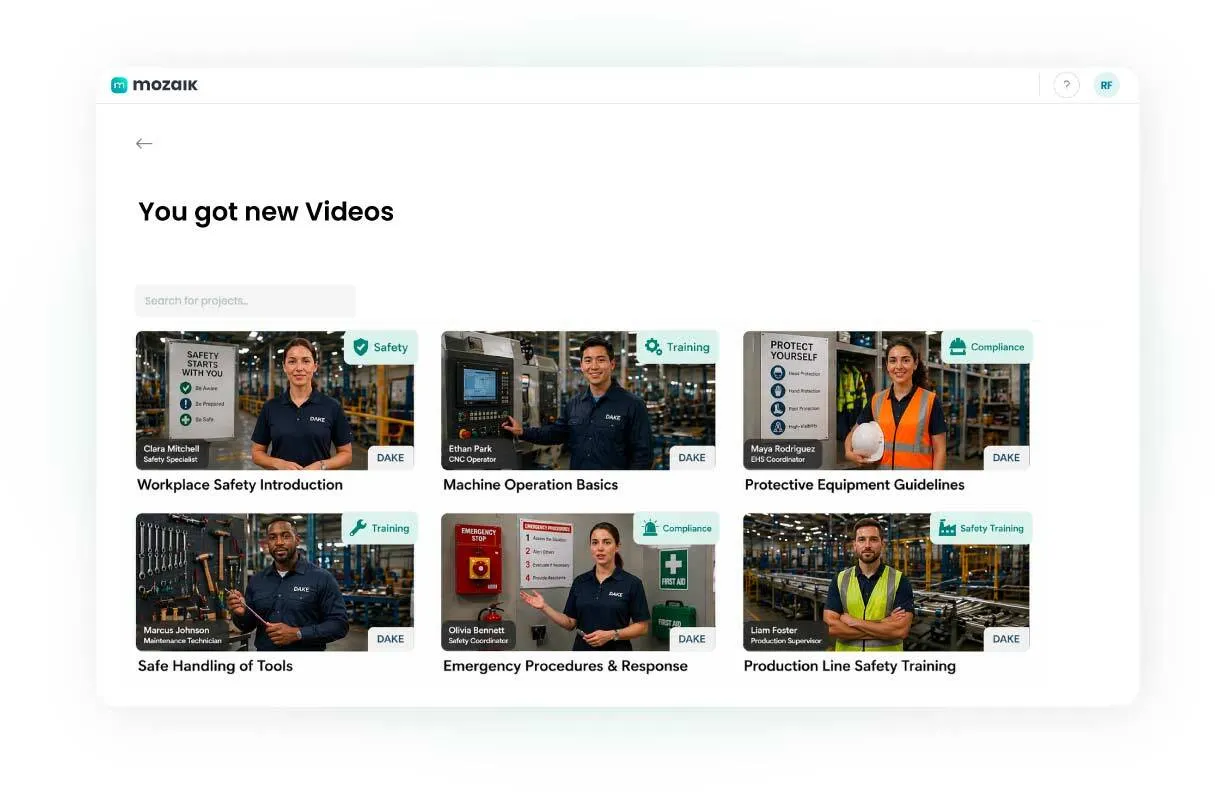
Training videos directly from the departments
L&D no longer has to create content on its own. With Mozaik, experts share their knowledge directly—in video format.
Collect training materials using simple upload links
Reduce coordination loops with business units
Get relevant company content faster
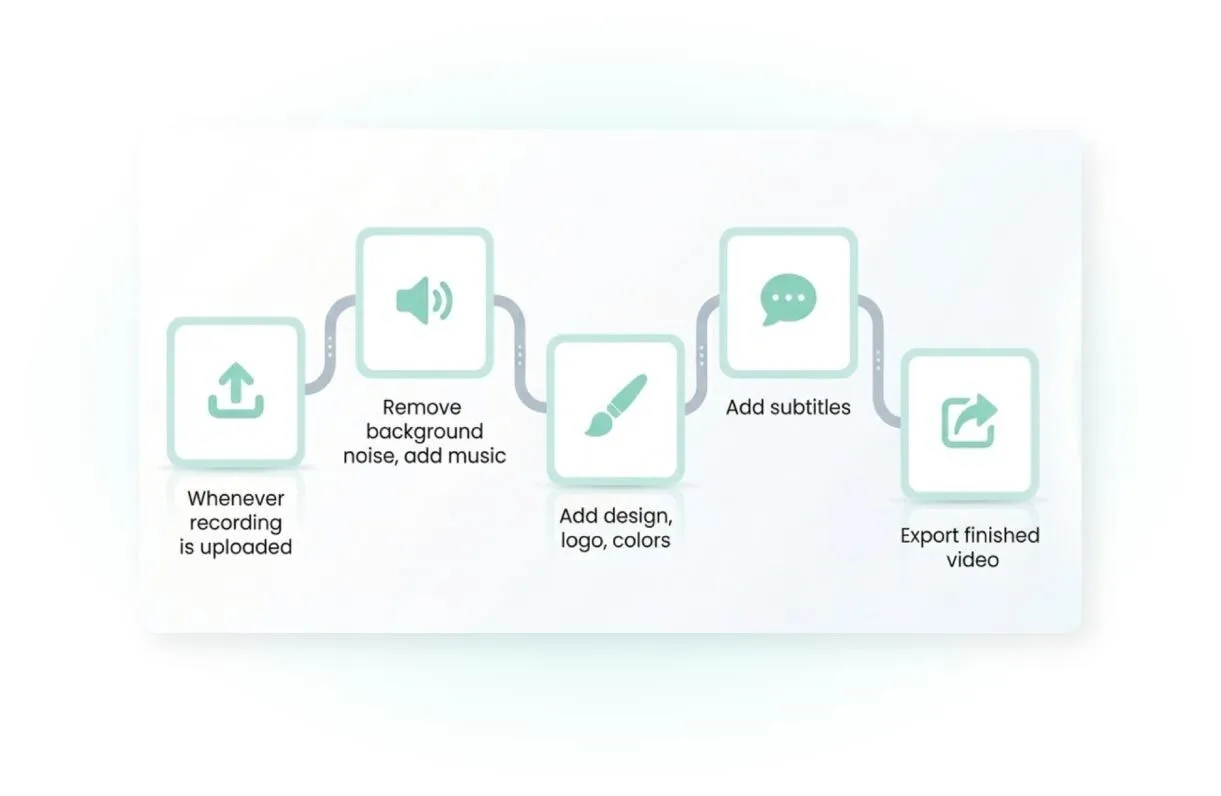
Automated production instead of manual cutting
Mozaik handles all post-production automatically—from editing to subtitling.
Video editing, subtitling, and translation using AI
Automated voice-over feature
A finished video in 5 minutes
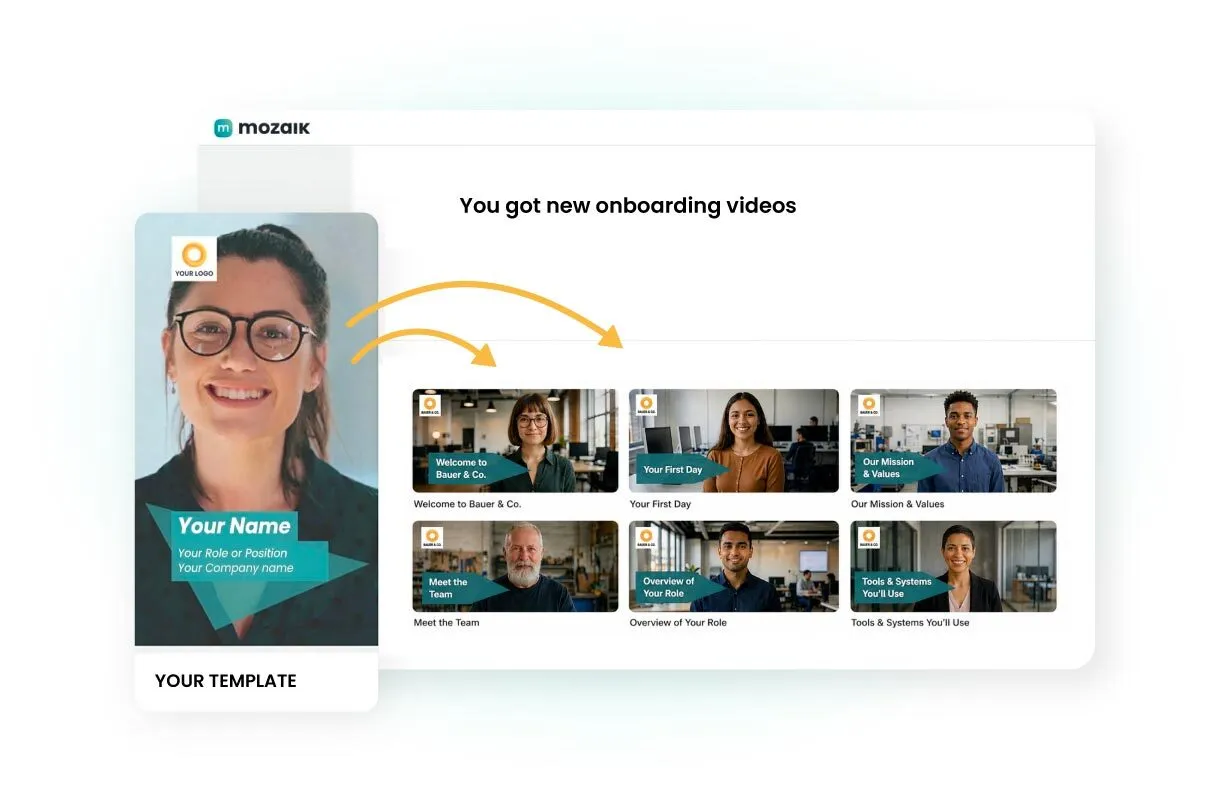
Producing L&D videos as a series
Educational videos, FAQ videos, and onboarding videos usually follow a consistent structure. This makes them easy to standardize and produce as a series. More videos with less effort.
Set up the video template once
Request for content from the experts
Many videos can be completed automatically
Use cases
Popular Applications
Discover how L&D teams use Mozaik to create learning videos efficiently—without requiring additional resources.
Software Explanations
Create screen recordings and automatically turn them into branded learning videos using Mozaik AI.
Use decentralized content
Create educational videos featuring people who aren't on site.
Training videos
Scale your videos to create engaging content for internal training and professional development.
Onboarding Content
Train new employees faster and more consistently with videos—create them once, reuse them over and over.
Content from academic departments
Don't have the experts on your team? Request the raw materials easily with our step-by-step guide.
Automated cutting
Use your raw material and let Mozaik AI cut it automatically.
Here's how
The Mozaik Workflow: From Raw Footage to the Finished Video
1. Input
Gather the materials:
Upload your raw footage or collect recordings remotely—Mozaik makes getting started as easy as possible.
Direct upload of your video files
Collect via Remote Collection link
2. AI Automation
NEW
8 fully automated steps:
Once the footage is available, Mozaik AI handles eight post-production steps fully automatically.
Review & Ranking
Smart Cut
Branding & Design
Visual Overlays
Audio Mastering
Subtitle
Translation
Final Assembly
Learn more about Mozaik's AI workflow animations.
3. Fine-tuning (optional)
Customize post-processing manually:
You retain full control and can manually customize every step in the web editor.
Intuitive interface for corrections
Review loop with just a few clicks
4. Output
Export & Distribution:
Your video is ready to go—optimized for all channels and in the highest quality.
Download in the highest quality
Optimized specifically for LMS
Top quality – with full control
Mozaik ensures that every educational video meets your standards—from branding and audio to approval processes.
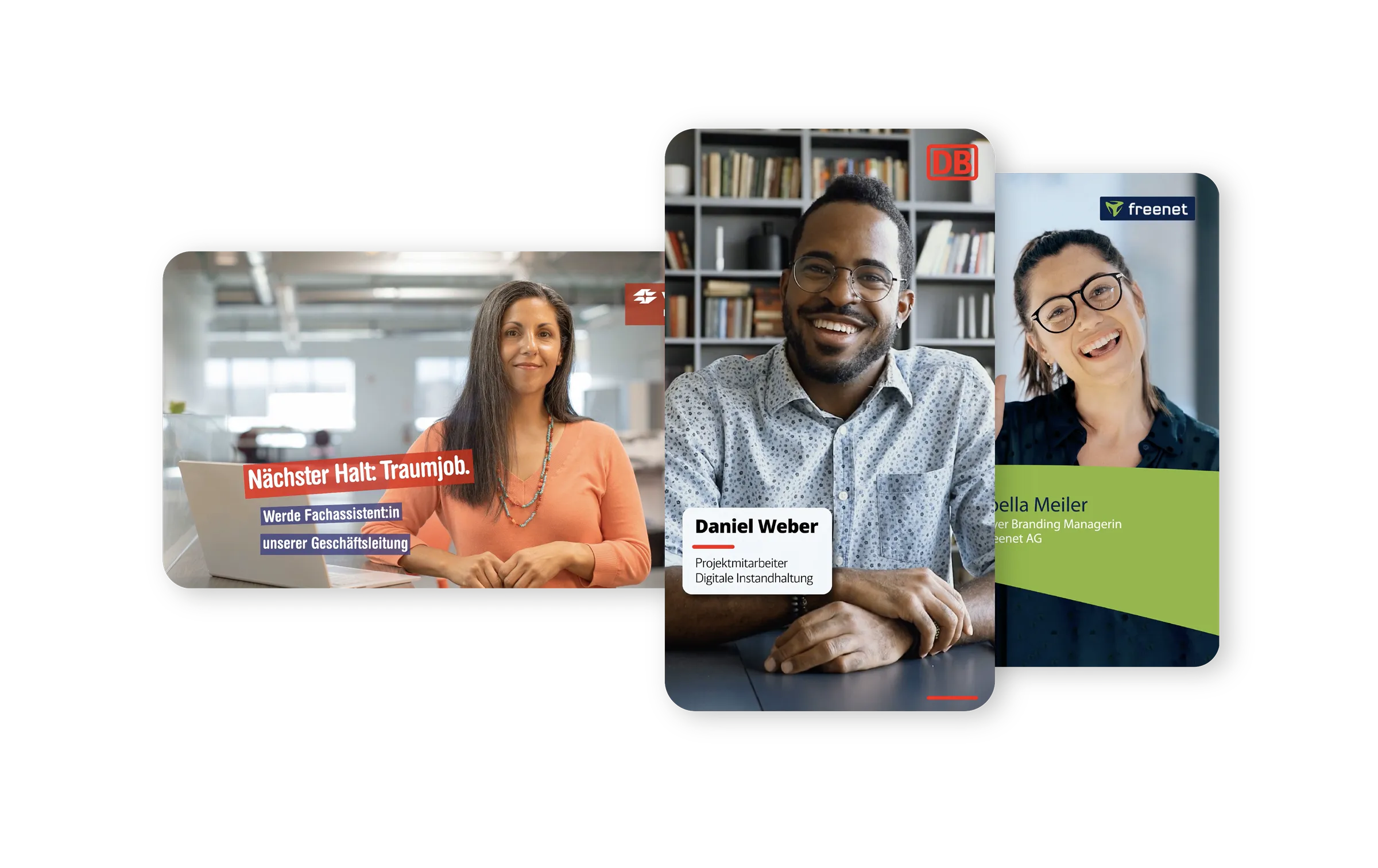
Customized Brand Kit
Always 100% design-compliant according to your specifications
Video quality
Professional video and audio quality in every output
Rights & Roles
Can be customized differently depending on the department
Human-in-the-loop
Despite the use of AI, every step can be manually adjusted and edited
What our customers achieve
20
+
Videos per month
-90
%
lower costs
80
%
faster creation

"Top tool for recruiting and onboarding"
One particularly positive aspect is that it adapts perfectly to today's media consumption habits: content is presented in a visually appealing, concise, and easy-to-understand way.
S
Sanja | Lucky Car
“Great product, great support!”
The platform is designed to be so intuitive that our employees can get started right away without much prior knowledge. Editing is also surprisingly straightforward, so it often takes only a few hours from the initial video request to the finished product.
L
Laura | AOK
"A high-performance video platform that saves time"
The process is clearly laid out, allowing you to arrive at useful results without any detours. A particularly valuable aspect is that content is created in a structured way, making it immediately ready for use—without the need for major adjustments or coordination.
B
Benjamin | Zollhof
"Great, fast tool!"
To be honest, Mozaik takes care of exactly what usually causes video production to fall apart: coordination issues, chaos, and wasted time. Instead of spending ages going back and forth, you’ll have a finished video that looks great and meets design standards—all in just a few minutes!
J
Josephine
“Super effective, yet simple and straightforward!”
Easy recording and audio AI—you can easily record videos with your phone without an external microphone, such as tutorials for learning sequences.
A
Alexandra | 8S Strength Profile

“A super-easy tool for professional video content”
Its ease of use, wide range of features (subtitles in multiple languages), flexibility in the real-time editor, value for money given its features, and rapid ongoing development.
K
Katharina | Contabo
Start scaling your educational videos today
Mozaik has a video template for every scenario that can be easily replicated.


View all video templates
Frequently asked questions
Everything you need to know about creating educational videos with Mozaik.
How can L&D teams quickly create training videos?
Our experts don't have time for video production—what should we do?
How much time does automated video production save in the L&D sector?
Is Mozaik also suitable for screen recordings and software tutorial videos?
How do we ensure consistent quality in educational videos?
How professional are videos produced with Mozaik?
How do educational videos stay up-to-date and relevant?
How does AI-powered automatic video editing work?
How can we involve remote teams in content creation?
Can employees without video experience create instructional videos?
What is the best tool for creating training videos for L&D teams?
How does Mozaik compare to other educational video tools?
Ready to scale up your educational video production?
During a 30-minute introductory call, a Mozaik expert will work with you to review your video workflow and assess whether and how Mozaik can help you.