
Mozaik in Marketing
Scale video production within your company
Automate your content production or involve customers, employees, and brand ambassadors in the video creation process.
Too many video requests, not enough team capacity?
Marketing teams are constantly required to produce video content—both for their own use and for other departments. With Mozaik, they can finally increase their video output without needing additional resources.
Without Mozaik...
Insufficient capacity to meet the entire content demand
Long feedback loops
High costs, a lot of effort
With Mozaik...
Content can be created by customers, employees, and brand ambassadors according to your specifications
Recurring manual steps can be automated using AI workflows
80% faster and more affordable
How Mozaik Supports Marketing Teams

A New Approach to Video Production
Marketing departments often don’t have the capacity to produce all their videos in-house. Mozaik makes it possible to organize video production across different locations—without compromising on quality.
Collect raw material from teams, customers, and partners via simple upload links
Empower other teams to create their own videos—Mozaik ensures consistent branding
Scale your video output without having to build out additional resources
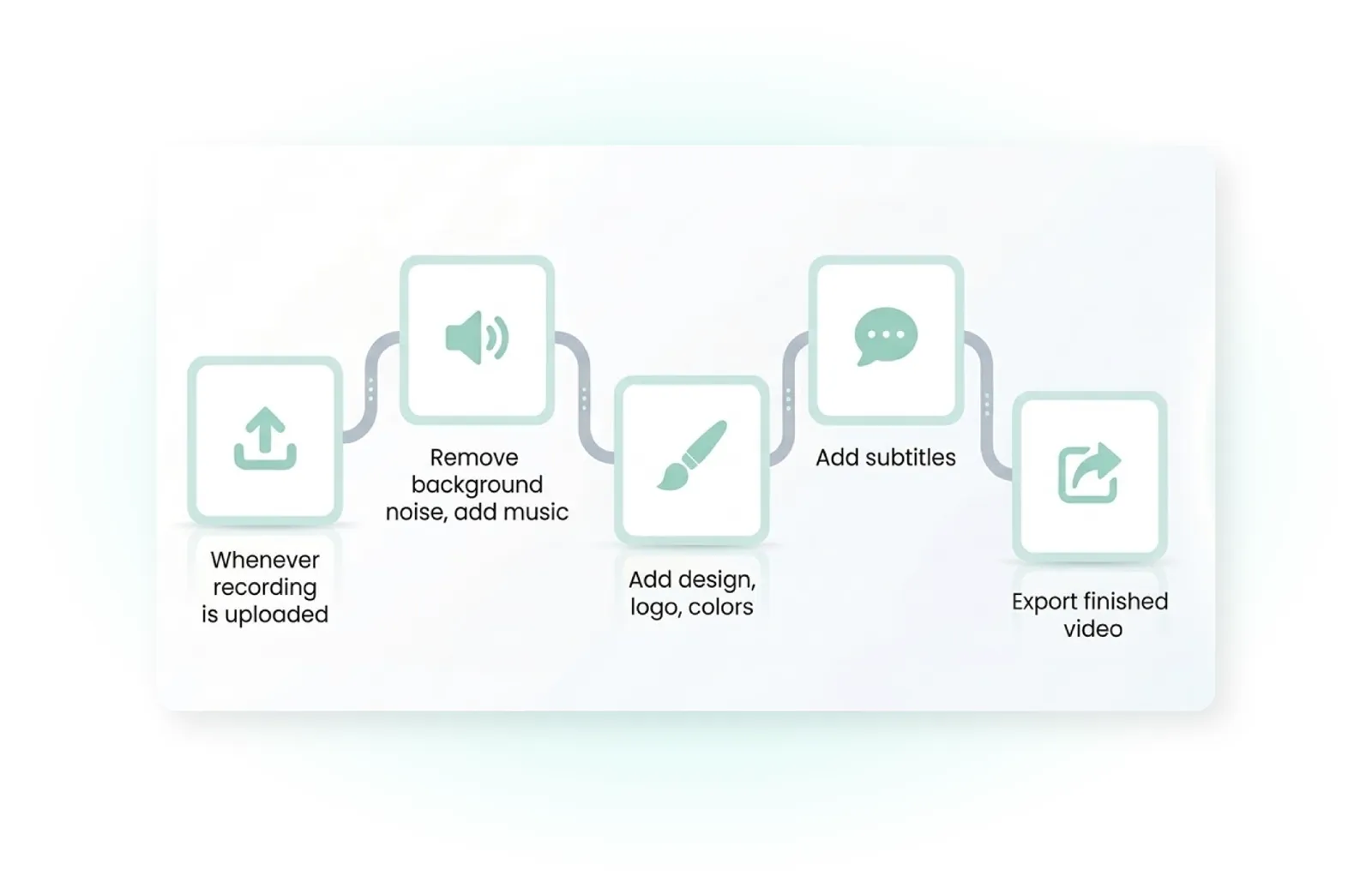
Automated workflows
Repetitive video tasks are time-consuming and frustrating. Mozaik automates the entire post-production process using AI-powered workflows.
Automatic trimming, branding, and subtitling in seconds
Set it up once, use it again and again – for consistent results
Room for creative work instead of repetitive tasks
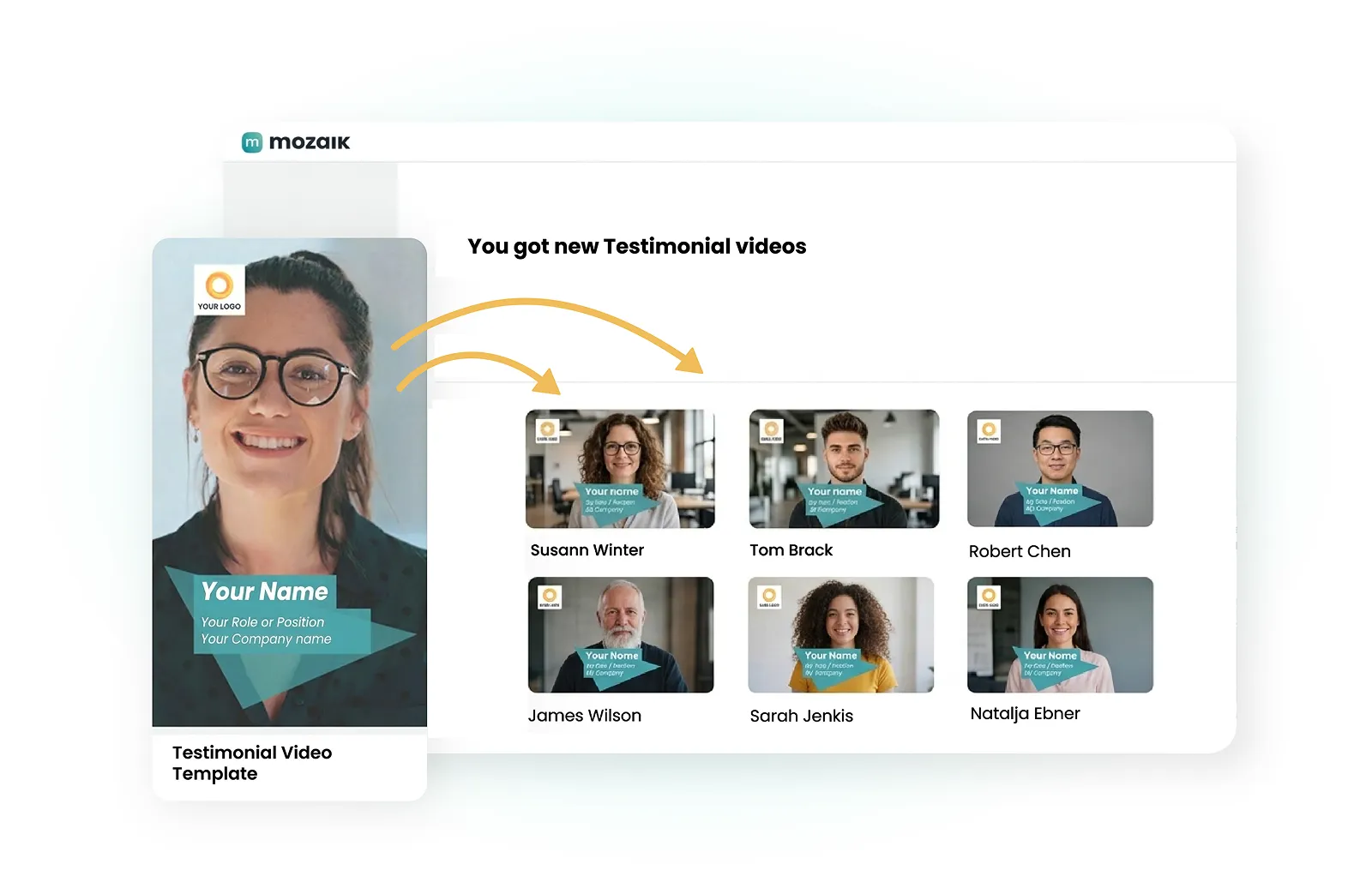
Producing Video Series Efficiently
Regular content formats like testimonial videos, recaps, or how-to guides require consistency. Mozaik makes creating series a breeze.
Create templates for recurring formats once and reuse them
Repetitive steps can be fully automated
You can create lots of videos with very little effort
Use cases
Popular Applications
Discover how teams use Mozaik to scale their video output—without additional resources.
Event Videos
Collect automatically from participants and prepare for posting.
Customer Testimonials
Collect automatically from customers and finalize using Mozaik AI.
Brand Ambassador Content
Enable ambassadors to create video content without the need for editing.
Social Media Videos
Request raw materials and have them automatically processed.
Automated cutting
Have Mozaik AI automatically cut existing raw materials.
Sales Videos (1-on-1, Outreach, Event Recaps)
Enable sales teams to create personalized videos for leads and customers on their own—without any editing required.
Here's how
The Mozaik Workflow: From Raw Footage to the Finished Video
1. Input
Gather the materials:
Upload your raw footage or collect recordings remotely—Mozaik makes getting started as easy as possible.
Direct upload of your video files
Collect via Remote Collection link
2. AI Automation
NEW
8 fully automated steps:
Once the footage is available, Mozaik AI handles eight post-production steps fully automatically.
Review & Ranking
Smart Cut
Branding & Design
Visual Overlays
Audio Mastering
Subtitle
Translation
Final Assembly
Learn more about Mozaik's AI workflow animations.
3. Fine-tuning (optional)
Customize post-processing manually:
You retain full control and can manually customize every step in the web editor.
Intuitive interface for corrections
Review loop with just a few clicks
4. Output
Export & Distribution:
Your video is ready to go—optimized for all channels and in the highest quality.
Download in the highest quality
Optimized specifically for social media
Top quality – with full control
Mozaik ensures that every video meets your standards—from branding and audio to approval processes.
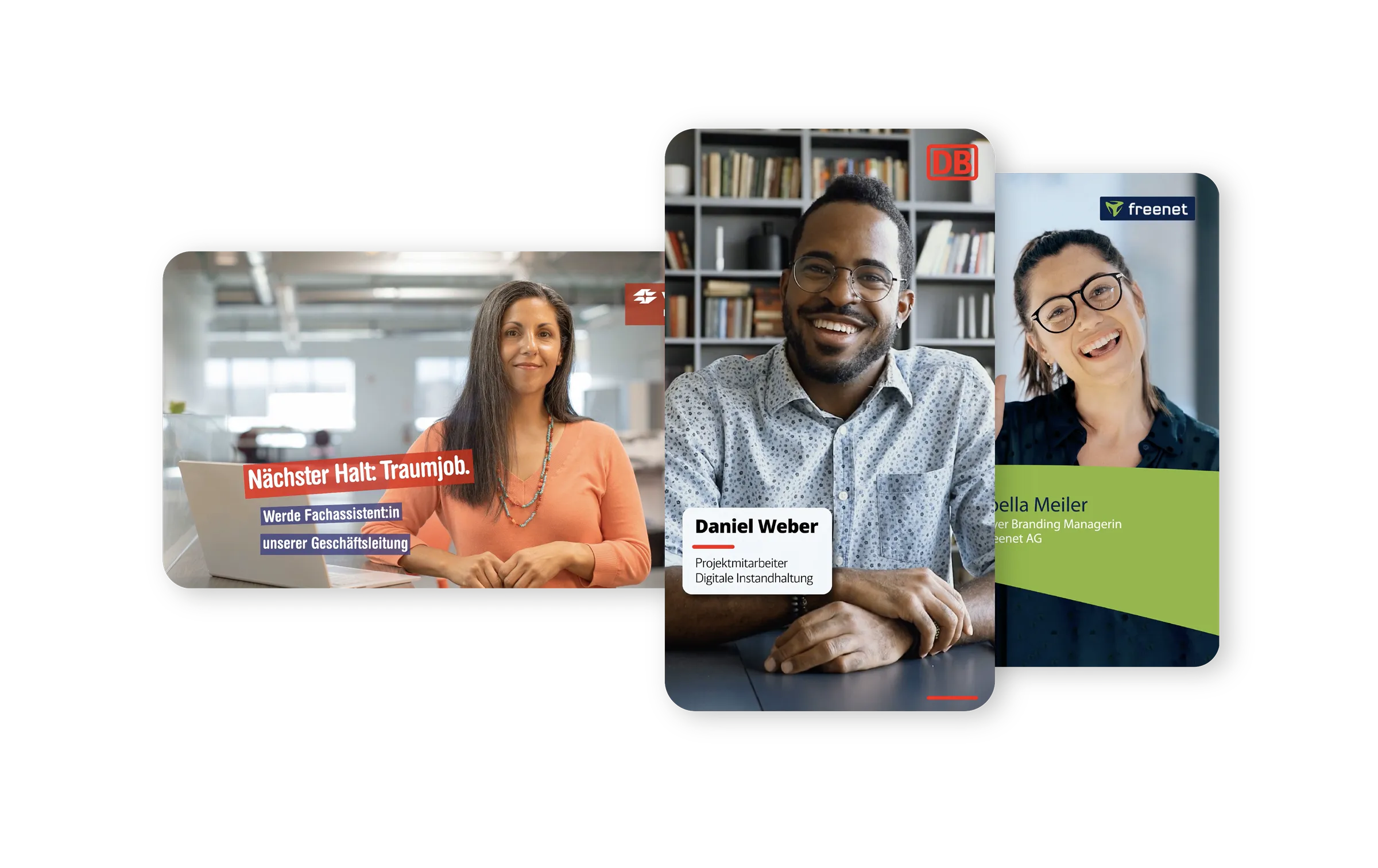
Customized Brand Kit
Always 100% design-compliant according to your specifications
Video quality
Professional video and audio quality in every output
Rights & Roles
Can be customized differently depending on the department
Human-in-the-loop
Despite the use of AI, every step can be manually adjusted and edited
What our customers achieve
20
+
Videos per month
-90
%
lower costs
80
%
faster creation


"Great product, great support!"
It often takes only a few hours from the initial video request to the finished product. This significantly speeds up our internal processes and makes video production much more efficient.
L
Laura | AOK

"Perfect for creating Reels and videos for social media and your website"
Videos can be created more quickly while still maintaining a professional look—complete with an intro, outro, and seamless transitions. This is significantly more efficient than what we were able to do before.
R
Raphaela | EVOMOTIV GmbH
"Simple. Straightforward. Compelling."
In my work with corporate influencer programs, Mozaik is a real game-changer. It significantly lowers the barrier to entry while promoting authentic, consistent content.
S
Sophie
"Make videos easily!"
Collaboration between marketing, HR, and corporate influencers becomes much easier and more efficient. It’s rare to see how simple content creation can be!
B
Benjamin | Ingentis Software Development
"The tool makes a lot of things easier and faster"
We can create high-quality videos without having to schedule a time-consuming shoot—including travel time—every single time.
A
Andres | AWO Lower Franconia
"Good software for employee profiles"
We wanted to feature our entire team on the website. We were able to do that ourselves in just two weeks. That was much faster than we expected.
C
Christian | Pp Real Estate & Management
Start scaling your marketing videos now
Mozaik has the perfect video template for every scenario, and it's easy to replicate.


.jpg)


View all video templates
Frequently asked questions
Everything you need to know about scaling marketing videos with Mozaik.
We already use Canva, CapCut, and Premiere as video editing tools—why should we use software like Mozaik as well?
What are the specific differences between Mozaik and traditional video editing tools like Canva, CapCut, and Premiere?
Will our branding remain the same?
Isn't it a lot of work to launch a project like this?
Are we losing control because of AI?
In which department should I use Mozaik?
Ready to scale up your video production?
During a 30-minute introductory call, a Mozaik expert will work with you to review your video workflow and assess whether and how Mozaik can help you.